Auction house
A network-wide market with buy-now listings, timed auctions and anti-snipe.
The auction house is a single market shared by the whole network. Open it with /ah (alias /auction).
#Selling
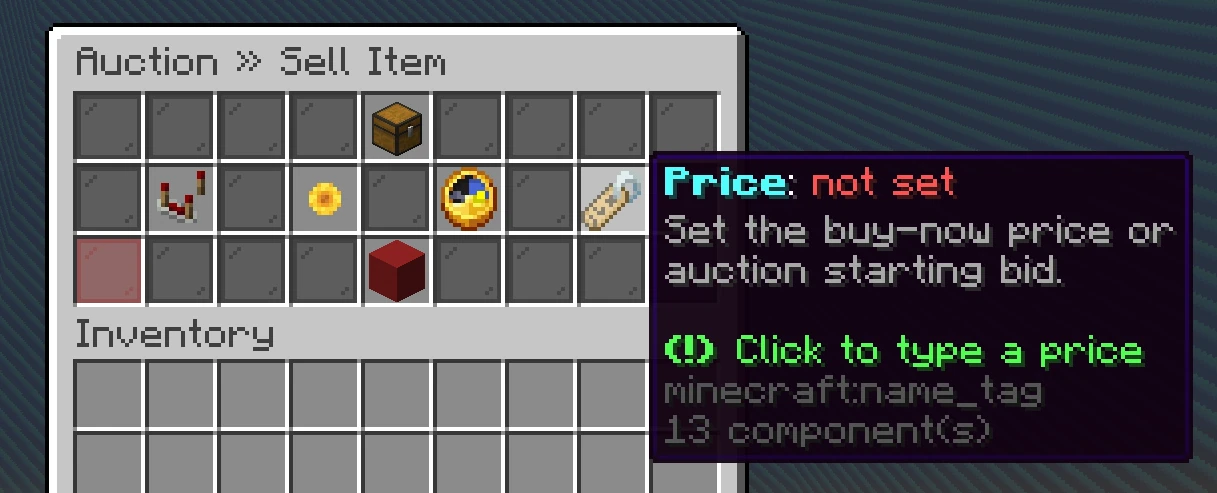
Hold the item and use /ah sell, or list through the menu. A listing needs:
- A currency: money, gems or pearls.
- A price.
- A type: buy-now at a fixed price, or a timed auction with bidding.
- For auctions, a duration from the offered options.
A listing fee is charged up front in the listing's currency and is never refunded. That is what keeps the market from filling with junk listings.
Some ranks pay less of that fee. If yours does, the sell screen already shows you the reduced amount, and the best discount you hold is the one you get. No rank makes listing free: the fee always costs something.
Your item is held in escrow until it sells or expires, so it cannot be duplicated or lost in transit. You can have a limited number of active listings at once, and higher ranks can hold more.
When something sells, the house takes a percentage and pays you the rest. Large sales are announced network-wide.
#Buying and bidding
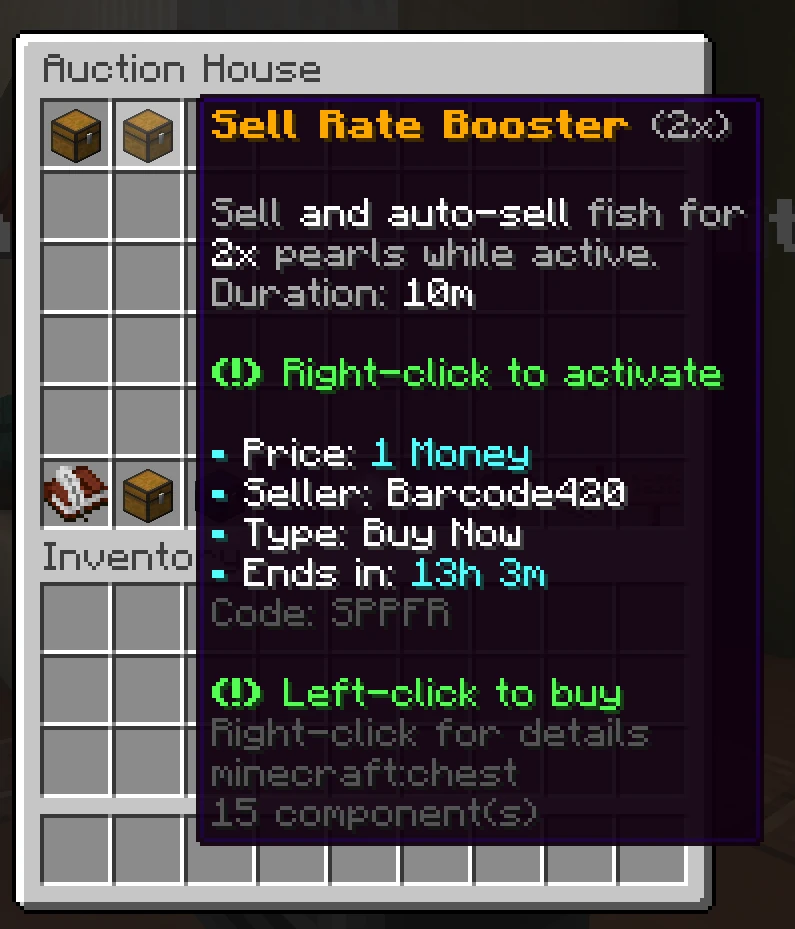
/ah browse- Browse everything currently listed.
/ah buy- Take a fixed-price listing.
/ah bid- Bid on a timed auction.
/ah info- Inspect a listing in detail.
Each new bid has to beat the current one by a minimum increment, so an auction cannot be nudged up a coin at a time.
#Collecting
Everything owed to you lands in a personal collection box:
- Money and other currency from your sales
- Items you won at auction
- Items returned when a listing expired unsold
Open it with /ah collect, or from the auction house menu. Money waiting for you shows as a card per currency at the top, and your items sit in a grid of slots under it. Hovering an item shows its full tooltip. Click an item to claim it, click a balance to claim that currency, or use Claim All. If your inventory has no room for an item, it stays in the box and the menu tells you at the top. Nothing expires out of the box.
#Managing your listings
/ah mine lists what you have active, and /ah cancel pulls a listing subject to the listing rules. Cancelling does not refund the listing fee.
#What can be listed
Listings are limited to a curated set of item types, with pickaxes, tools, fish and blocks allowed by default. Staff can specifically allow or block individual items. If something is not listable, the auction house says so when you try.
#Next
- Direct trade When you would rather deal face to face.
- The network Why your listing is visible everywhere.