Giveaways
Player-hosted doubloon giveaways. Entering one, and running one.
A giveaway is one player putting up their own doubloons for everyone else. The host picks the pot, how many people win, and how long it runs. Entering is free.
/giveaways (also /giveaway, /ga) opens the menu. The Running tab lists everything you can enter right now, soonest to finish first; the Past tab keeps every giveaway that has already been drawn, with who won and how much.
#Entering
Open
/giveawaysand pick a giveaway.Click it once. That is the whole entry.
Wait for it to draw. You do not need to be online when it does.
One entry per person, and you cannot enter a giveaway you are hosting yourself. If you win, the doubloons land in your balance and you are told; log off first and the message is waiting for you next time you join.
#Hosting one
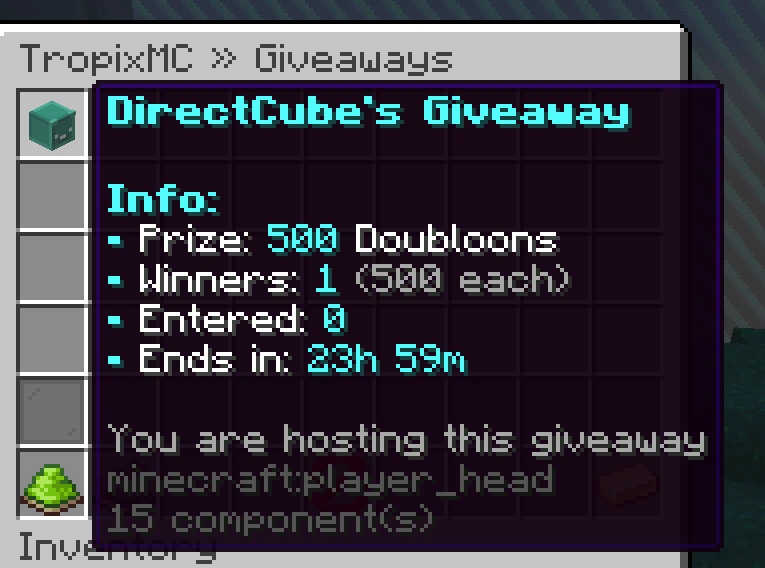
The Host a Giveaway button in the menu asks three things: the pot, how many winners, and how long it should run. Then it shows you a confirm screen with the cost and the payout per winner before anything is charged.
The menu tells you the current bounds on the pot, the winner count and the length, and your own giveaway shows a live entry count while it is open. When it ends you get a summary of who won.
#How the split works
The whole pot is split evenly between the winners. If fewer people enter than there are winner slots, the pot is still paid out in full, shared between whoever did enter, so a quiet giveaway makes the people who turned up richer rather than handing the difference back.
If nobody enters at all, the pot goes back to the host untouched.
#What gets announced
Four separate announcements, each with its own switch in /settings, so you can keep the ones you want and drop the rest:
| Line | When |
|---|---|
| Giveaways | A giveaway opens and you can enter it. |
| Giveaway reminders | A regular nudge while a long giveaway is still open. |
| Giveaway last call | One line just before it picks winners. |
| Giveaway results | Who won, once it has drawn. |
Every announcement carries a clickable button that opens your own menu, wherever you are on the network.
#Next
- Store and doubloons Where doubloons come from.
- Discord Linking your account, which entry needs.
- Settings Turning any of the announcements off.