Stats site
Your profile, the leaderboards and history in a browser, account linking, and the in-depth Stats+ tier.
Everything the leaderboards know is also on the website, with more depth than a chest menu can show.
#What is public
Anyone can browse:
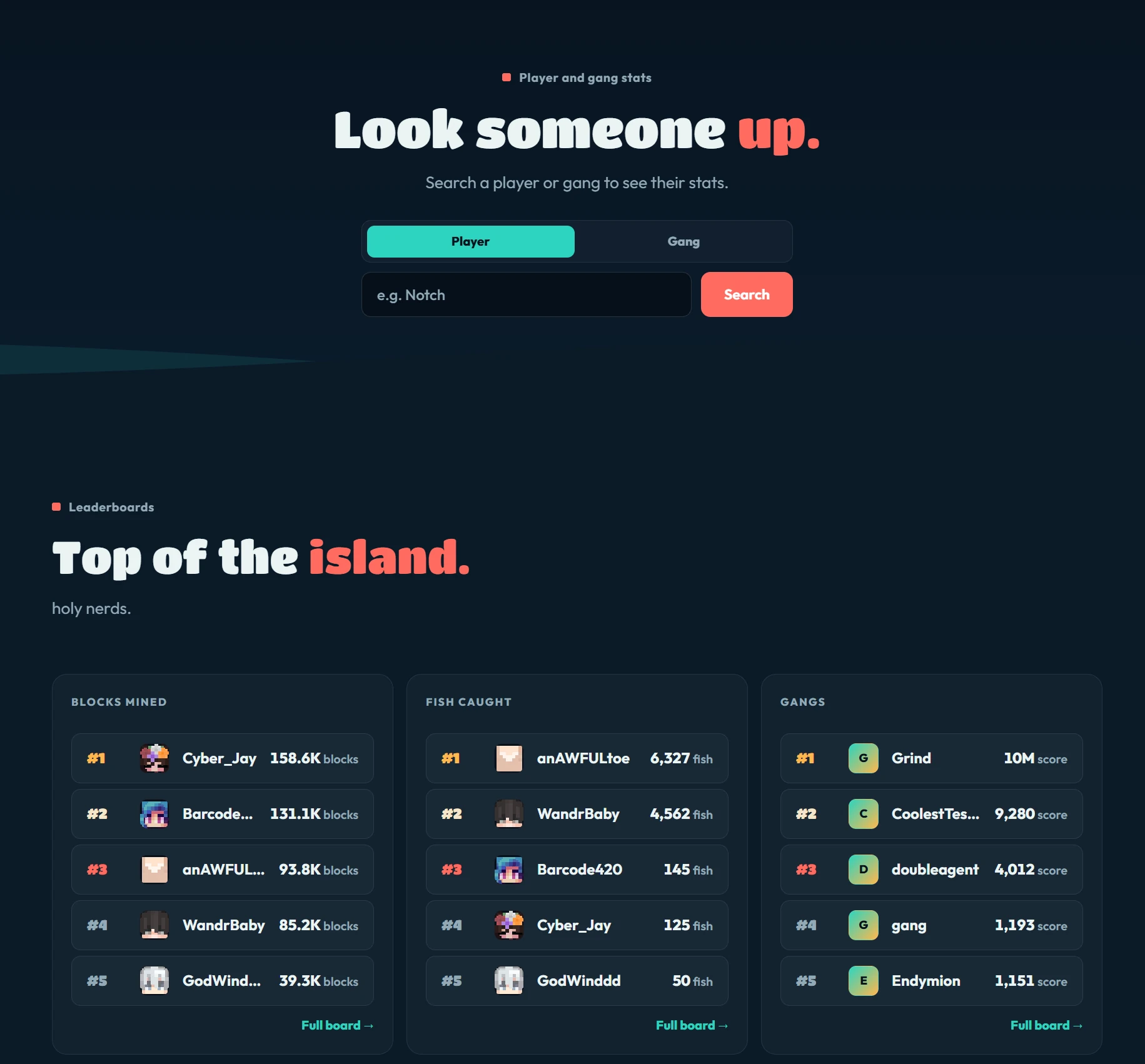
- Player profiles: the page opens on the player, with their skin, their gang and their grind totals. Under that: fishing, mining, farming, gang, economy and mission cards, where their hours went, their biggest catch ever, their rarest catches and total weight landed, crop mutations, backpack tiers, card collection, awards, and their auction and trade record.
- Gang profiles, laid out the same way. The gang owns the top of the page, wearing its own chat tag in its own colour, next to where it currently sits on the gang board and how many of its members are online right now. Under that: its standing and its recent form, its mine, its island and who that island is open to, its bank and upgrades, and what the roster has done between them. Then the full roster with how long each member has been in, the shared objectives the gang is working on, and every season it has finished.
- Every leaderboard, with the same timeframes as in game. Sign in and your own place on the board shows underneath it, along with how much further you need to go to pass the person above you.
- Seasons, a hall of fame for every season that has ended: who finished on top of each board, and the champion gang. A season reset wipes the live boards, so this is the only place that still remembers.
- The market, what the auction house pays. Sales, averages, records and volume over time, broken down by category. Each currency is counted on its own, and no names appear.
- Collections, every fish, every bait and lure, and every card, with how many players have it. The rarest entries are the ones almost nobody has found.
- Card battles, the ranked ladder with everyone's rank, the latest results (who beat who, and for what), how many matches were played, how the ladder spreads across the ranks and how often players beat the House on each difficulty. A second page lists every battle card with its stats and moves, and how often players pick it and win with it this season. See Card battles.
- A battles tab on every profile: rank, rating, best rank this season, record, wins against the House and the stars their cards have earned.
- The gang directory, every gang on the server rather than just the top of the board. Sort by score, level, members or age, and filter to the gangs looking for people.
- The network page, what the whole server has done between it: accounts, gangs, and the lifetime totals for every grind. It also shows which hours of the week are busy, so you can find a quiet mine or a full lobby on purpose.
- Missions on a player page, the objectives they are working toward right now, the same way a gang page shows its shared ones.
- Season prizes on every profile, on the Prizes tab: every top ten finish that player has won, one shelf per season. See Season Prizes.
- The wealth page, an aggregate view of the whole server economy. It shows distributions and shares, never individual names. Sign in and it also marks where you sit.
- The language panel on the stats home: the words and phrases public chat uses most, across the whole server. Counts only, no names and no messages.
- Who is online right now across the whole network, on the stats home, next to the biggest climbers of the week and the crate wins big enough to be announced in chat.
You can also pin any player or gang from their page. Pinned names collect on the stats home so you can check on them without searching again. The list lives in your own browser and is never sent anywhere, so it does not follow you to another device.
Every leaderboard offers its current view as a downloadable file, and every profile has a Save profile card button that turns the headline figures into an image you can keep or post.
#Linking your account
One link covers the whole site: your purchase history on the store, and the deeper stats breakdowns once you have Stats+, covered below.
Open the Site link page on the main site and start a link. You get a short code.
In game, run
/sitelink <code>.The browser picks it up within a few seconds and you are linked.
/sitelink on its own shows your current status, including whether you have Stats+. Click that line to open the Stats+ menu. /sitelink unlink ends every browser session at once. The old /stats link <code> still works if you have it memorised.
Linking is per-account, not per-device: log in from a second browser and you link that one too.
If you started the link from somewhere else on the site, the success page offers a button straight back to the page you left.
#Stats+
Stats+ is the in-depth tier of the site. Once your linked account has Stats+, profile pages gain:
- Per-rarity and per-pond fishing breakdowns, and your fishdex progress.
- Mining and farming detail beyond the headline totals.
- Daily, weekly and monthly period buckets.
- Percentile standing against the rest of the server.
- Your own language panel: the words and phrases you reach for most in public chat.
- Trend charts over time, built from daily snapshots.
- Gang pages gain per-member contribution breakdowns.
- A Collection tab: your TackleDex, your longest catch of each species, your card binder filled in by rarity, your completion awards, and whatever is sitting banked in each backpack.
- On the Battles tab: your recent matches, your active deck with each card's level and stars, your wins against the House on each difficulty, and the cards you bring most.
- A Skills tab: your level and progress in each skill, your points earned and spent, and the tree itself with every rank you have bought. See Skills.
- Your enchant levels on the rod, pickaxe and hoe, and what each enchant has paid out.
- Where you placed in past seasons, board by board, even though the live boards were wiped.
- Rank over time, as well as totals over time. Your total only ever goes up, so the interesting question is whether the field is gaining on you.
- Milestones, the day you passed each round number.
- Head to head, two players side by side on the same numbers, or two gangs, with both of them on one chart over time. Every figure it compares is public on each side's own profile; what Stats+ buys is the page that lines them up.
- On a gang page: who contributed what, and how the gang has moved over time.
- The Gang Exchange, a map of every gang sized by its share of all gang score earned this season and coloured by how that share moved over the last day, week or month. Green tiles are out-earning the rest of the server, red ones are falling behind. Spending score on gang upgrades does not shrink a tile, since the map counts what a gang earned rather than what it has left. A table under the map lists the same numbers for every gang.
#Getting Stats+
/statsplus (or /splus) opens the Stats+ menu in game. It has:
- Your Stats+ rental: whether it is running, when it renews or ends, and a bar of the time left.
- Whether your website account is linked. The Link button takes the code from the site's Site link page right there, the same as
/sitelink <code>. If you have Stats+ but have not linked yet, an amber line says so. - A Profile button that opens your profile on the site.
- One card per feature Stats+ adds. Hover a card for the detail.
- The price, your doubloons, and the buttons to rent, stop, resume or gift, along the bottom.
Stats+ is a monthly rental, paid in doubloons, on the same system as Buccaneer+. See Subscriptions. No rank includes it, and anyone can rent it. You can rent it before you link, and the menu reminds you to link so you can see it on the site.
It renews from your doubloon balance every period until you stop. Stop renewing in the menu keeps the time you have already paid for, and Resume starts renewals again. If a renewal cannot be paid, Stats+ ends that day, with no grace period. It also appears in /subscriptions.
Stats+ carries over a season reset, since it is a purchase.
#Gifting Stats+
/statsplus gift <player>, or the Gift button in the menu, pays one period of Stats+ for another player who has played on the network. A gift never renews on its own. The person who receives it can choose to keep it going at their own cost.
Gifting someone who already rents Stats+ adds a period to the one they are on. You cannot gift yourself, and you cannot gift someone who already has Stats+ some other way.
A new rental or a gift is announced in chat across the network, under the subscriptions announcement switch in Settings.
#Privacy
The site shows game statistics: what you caught, mined, harvested and earned in game. It never shows real-money purchase history, and the economy pages publish aggregates rather than naming individuals.
The language panels count words, never messages. No message you sent is stored or shown anywhere on the site, and anything the chat filter blocks or censors in game is dropped before counting, so it can never surface here. If you would rather your own panel stayed private, Word Panel under /settings > Chat hides it. Your words still count toward the server-wide panel, which names nobody.
Commands are skipped entirely, so nothing you type after a / is counted. A season reset clears the counts with the rest of the grind.
#Next
- Leaderboards The in-game version.
- Discord The other account link worth doing.
- Subscriptions How a monthly rental like Stats+ is paid.