Gangs
Your crew. Opens the mine and the island, pools score, raises everyone's ceilings.
A gang is the hub of everything except fishing. It owns your mine, it owns your island, it pools the score that raises your enchant ceilings, and it is what you rank as on the leaderboard.
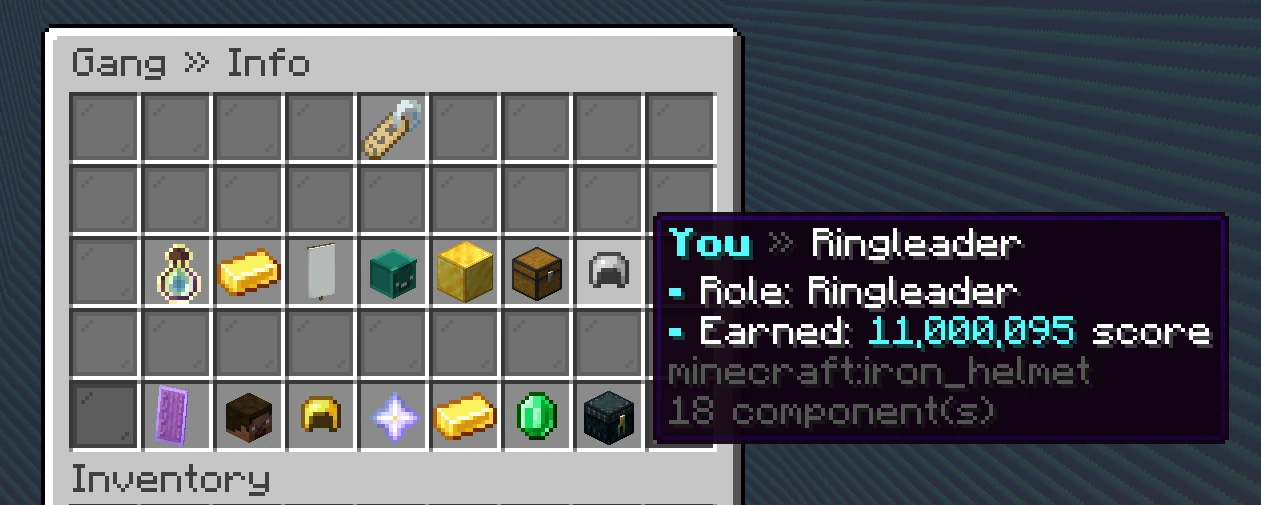
Open the hub with /gang (alias /g). The tabs (across the top, or down the left on the large menu size) lead to the rest of it, all in your gang's colour (sky blue until you pick one in the Shop):
- Info: your gang's level and the bar to the next, its bank, score, members, storage and your own share, and its recruiting listing. Hover any of them for the detail. Click Bank, Members or Storage to open that tab, or Score to spend it in the Shop. Leave (or Disband, for the Ringleader) sits at the foot.
- Members: a card for everyone in the gang with their head and rank, and a green dot while they are online. Click someone to see their details and to promote, demote, kick or hand them the gang.
- Perms: what each rank may do. Team gangs only.
- Bank and Shop: shared money, and what gang score buys.
- Storage and Leaderboard open their own chest menus. Closing Storage takes you back to the tab you were on.
If you are not in a gang yet, /gang shows the invites waiting for you, each with an Accept button, and a button to start your own gang.
#Solo or team
Every gang is one of two kinds:
- Solo gangs have exactly one member: you. You still get your own mine, island, bank, shop and storage, and you rank on the Solo leaderboard.
- Team gangs take multiple members, share everything, and rank on the Team leaderboard.
Start solo if you want. The Ringleader can convert to a team later from the Members tab, and the mine, island and score come with you. It only goes one way.
#Creating and joining
/gang create- Start the creation flow.
/gang invite <player>- Invite someone. Invites expire after a short window.
/gang invites- See invites waiting for you.
/gang join <gang>- Join a gang you have been invited to.
/gang leave- Leave. You keep your items, pickaxe and balances. Also a button on the Info tab.
/gang disband- Ringleader only, with a confirmation window. Also a button on the Info tab.
If the last member leaves, or the gang disbands, the gang goes away and takes its mine and island with it.
#Naming rules
A gang name is letters, numbers and underscores only, and it has to be free. Names are also checked against the same blocked-word list the chat filter uses, and the check sees through the usual dodges: capitals, digits standing in for letters, underscores between letters and padded-out spellings all fold onto the same word. A refused name is refused on /gang rename too, and the same list covers the gang chat tag.
Pick something else if a name comes back refused. Trying to spell it around the filter is a punishable offence, not a puzzle.
#Member cap
A new gang has room for five members. Extra slots are bought one at a time in the gang shop, up to a maximum of twelve. The cap does not rise with level on its own.
There is a separate cap on Consigliere seats, which also expands through the shop. See Roles.
#Level perks
Gang level gates content, and it also pays out passively:
- A growing bonus on your mine
/sellpayout. - A shrinking cooldown on gang commands.
- A larger bank capacity.
Both perks ramp gradually from level 1 and reach their ceiling at the level cap.
#Identity
/gang renamechanges the name, on a cooldown./gang tagsets a custom chat tag and/gang tagcolorthe gang's colour, once your gang owns each in the shop. Both are on the Shop's Gang Look page too./gang info,/gang members,/gang statsshow the gang from every angle./gang chat(/gang c) talks to your gang only, on every server in the network. It stays on when you change server or log out, until you run it again./gpingpoints out the block you are looking at to your gang. Adddanger,infoorinterestto say what kind of ping it is. Gangmates on Lunar Client who are in the same place see a marker on it; everyone else in the gang gets the coordinates in chat. The chat line has its own switch in/settings.
#Recruiting
A gang can list itself on the gang directory on the stats site, where anybody looking for a crew can find it. Open /gang and find Recruiting on the Info tab: its Listed switch puts the gang on the directory or takes it off, and Edit pitch writes the one-line pitch that shows next to your name there.
Anyone who can kick, promote or demote members can change both. The pitch goes on a public web page, so it is checked against the same blocked-word list gang names and chat tags are, and the same rule applies: a refused pitch is refused, not a puzzle.
Being listed changes nothing in game. It only decides whether people browsing the directory can see you.
#Where the rest of it is
- Roles The four ranks and what each can do.
- Gang score and levels Earning, spending, and what it unlocks.
- The gang shop Everything score buys.
- Bank and storage Shared money and shared items.